
The EDI 947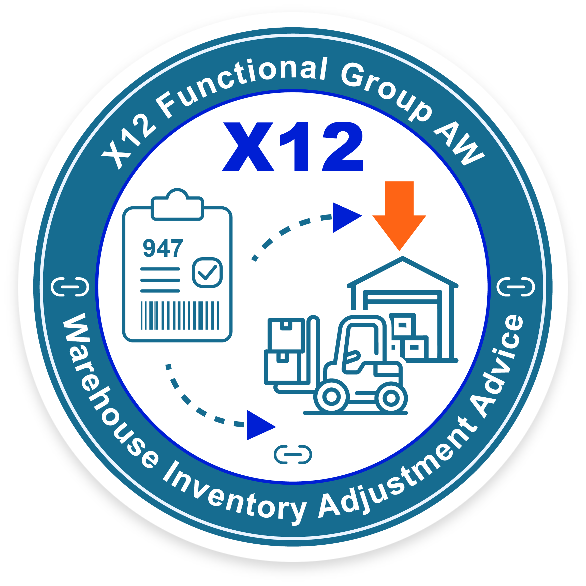 (Warehouse Inventory Adjustment Advice) is a standardized ANSI X12 transaction used across retail, manufacturing, and logistics industries to communicate inventory adjustments between warehouse management systems (WMS) and enterprise resource planning (ERP) systems. It plays a critical role in inventory accuracy, financial reconciliation, and regulatory compliance.
What Is the EDI 947?
EDI 947 (Warehouse Inventory Adjustment Advice) is an ANSI X12 transaction used to report inventory adjustments such as gains, losses, damage, or reclassification. It ensures synchronization between warehouse management systems (WMS) and enterprise systems (ERP), supporting accurate inventory, financial reconciliation, and compliance reporting across supply chain networks.
Transaction Identity Block
| Attribute | Description |
|---|---|
| Transaction Name | Warehouse Inventory Adjustment Advice |
| X12 Transaction Set | 947 |
| Functional Group | AW (Warehouse) |
| Industry Usage | Warehousing, 3PL, Retail, Manufacturing, Distribution |
| Primary Purpose | Communicate inventory adjustments impacting book inventory |
| Typical Sender | Warehouse / 3PL / WMS |
| Typical Receiver | Depositor (Retailer, Manufacturer, ERP Owner) |
| Common Preceding Transactions | 944 (Receipt Advice), 945 (Shipment Advice), 943 (Stock Transfer Shipment Advice) |
| Common Following Transactions | 846 (Inventory Inquiry/Advice), internal ERP postings |
| Standard Version | X12 v4010 (commonly), v5030 (extended support) |
The 947 acts as a post-event correction mechanism, ensuring alignment between physical inventory and ERP/WMS systems across distributed supply chain networks capturing increases, decreases, and reclassifications due to operational events such as cycle counts, shrinkage, damage, expiration, or reconciliation adjustments.
What Does the EDI 947 Do?
EDI 947 communicates inventory discrepancies identified during warehouse operations, including cycle counts, damage, and reconciliation events. It updates system-of-record inventory, triggers exception workflows, and ensures alignment between physical stock and ERP/WMS systems, improving inventory accuracy, visibility, and operational control.
What functions does the EDI 947 perform?
The EDI 947 performs the following functions:
- Reports inventory gains, losses, and corrections
- Synchronizes physical vs. book inventory
- Provides audit traceability for financial and compliance reporting
- Triggers exception workflows for discrepancies
- Enables multi-node inventory balancing across 3PL ecosystems
Who Uses the EDI 947? 
Organizations that rely on distributed or outsourced warehousing models use the 947 extensively:
- Third-Party Logistics Providers (3PLs)
- Retailers and eCommerce operators
- Manufacturers with external distribution centers
- Healthcare and regulated supply chains (lot/serial traceability)
When Is the EDI 947 Required?
The 947 is triggered when inventory conditions change, including:
- Cycle counts or physical inventory audits
- Over, Short, and Damaged (OSD) conditions
- Returns processing
- Expiration or obsolescence events
- Inventory reclassification (e.g., hold → available)
- End-of-period financial reconciliation
When is EDI 947 used?
EDI 947 is used when inventory discrepancies occur, such as during cycle counts, damage events, returns processing, expiration, or financial reconciliation. It communicates adjustments to ensure accurate inventory across warehouse and enterprise systems, preventing stock imbalances and supporting audit and compliance requirements.
Is the EDI 947 Mandated Under Regulation?
The 947 itself is not universally mandated; however, it supports compliance in regulated environments:
- FDA (DSCSA, FSMA) traceability
- GS1 identification standards (GLN, SSCC)
- Financial audit requirements
How Does the EDI 947 Work in the Business Workflow?
The EDI 947 operates as an exception-driven inventory correction transaction, positioned downstream of core warehouse execution events. It does not initiate movement; instead, it reconciles reality—aligning physical inventory with system-of-record balances after discrepancies are identified.
Upstream Transactions (What Happens Before the 947)
Inventory activity is first executed and recorded through standard warehouse transactions, these transactions establish the expected inventory position within ERP and WMS systems:
| Transaction | Role in Workflow |
|---|---|
| EDI 940 | Issues instructions to ship goods from the warehouse |
| EDI 943 | Notifies inbound stock transfers between facilities |
| EDI 944 | Confirms receipt of goods into the warehouse |
| EDI 945 | Confirms outbound shipment execution |
Trigger Events (Why the 947 Is Generated) 
The EDI 947 is generated when a discrepancy or adjustment condition is identified. These triggers reflect real-world deviations from system expectations.
- Cycle count variance
- Physical inventory audit results
- Over, Short, and Damaged (OSD) conditions
- Returns processing adjustments
- Expiration or obsolescence events
- Inventory reclassification (e.g., hold → available)
- End-of-period financial reconciliation
Core Workflow (Step-by-Step)
- Inventory Activity Occurs
Goods are received, stored, picked, or shipped via standard transactions (940/944/945). - Discrepancy Is Identified
A warehouse process (cycle count, audit, inspection) detects a mismatch between physical and recorded inventory. - Adjustment Is Created in WMS

The warehouse system generates an adjustment record, assigning:
- Adjustment number (W1502)
- Reason code (W1901)
- Quantity change (W1902/W1903)
- EDI 947 Is Generated
The warehouse (or 3PL) sends the 947 to the depositor/ERP system with detailed adjustment data. - Validation and Acknowledgment
- Structural validation via 997 / 999
- Business validation against master data and tolerances
- ERP/WMS Synchronization
The receiving system:
- Applies the quantity adjustment
- Updates available-to-promise (ATP)
- Aligns financial inventory balances
- Exception Handling (if required)
High-impact adjustments trigger:
- Alerts or workflows
- Manual review or approval
- Root-cause analysis
- Audit Trail and Reporting
The adjustment is logged for:
- Financial reconciliation
- Compliance audits
- Inventory performance analytics
End-to-End Workflow Example
| Step | Event | Outcome |
|---|---|---|
| 1 | Receipt processed (944) | Inventory added to system |
| 2 | Cycle count performed | Variance identified |
| 3 | Adjustment created in WMS | Inventory discrepancy recorded |
| 4 | EDI 947 sent | Adjustment communicated |
| 5 | ERP posts adjustment | Book inventory corrected |
| 6 | Exception triggered (if needed) | Investigation initiated |
Downstream Impact (What Happens After the 947)
| Area | Impact |
|---|---|
| Inventory Visibility | Accurate, real-time stock levels |
| Order Management | Prevents false availability |
| Financial Systems | Ensures correct inventory valuation |
| Planning Systems | Improves forecasting and replenishment |
| Compliance | Maintains traceability and audit readiness |
Industry-Specific Workflow Variations
- Retail / eCommerce

High-frequency cycle counts drive frequent 947 usage to maintain omnichannel accuracy - Pharmaceutical / Food
Lot-controlled adjustments ensure compliance with traceability regulations - 3PL / Multi-Client Warehousing
Separate inventory ownership requires precise, auditable adjustment communication
Key Workflow Insight (Execution Control Layer Perspective)
The EDI 947 functions as a control point in the execution layer, ensuring that:
- Physical reality is continuously reconciled with digital systems
- Exceptions are surfaced and governed—not hidden
- Inventory integrity is maintained across multi-enterprise networks
Without the 947, discrepancies accumulate silently—leading to stockouts, over-promising, financial misstatement, and operational disruption.
Cross-Standard Canonical Mapping
| Concept | X12 | EDIFACT |
|---|---|---|
| Inventory Adjustment | 947 | INVRPT (partial equivalent) |
| Inventory Status | 846 | INVRPT |
| Shipment Adjustment Context | 945 | DESADV |
How does PartnerLinQ use the EDI 947?
PartnerLinQ uses the 947 to:
- Synchronize ERP and WMS inventory states
- Apply inventory adjustments automatically
- Trigger exception workflows for high-impact variances
- Maintain audit trails for compliance and finance
- Normalize data through a canonical model for analytics
Where Is the EDI 947 Used?
- Distribution Centers
- Retail fulfillment networks
- Manufacturing supply chains
- Regulated industries (pharma, food, healthcare)
Are there Industry-Specific Responses to the EDI 947?
The 947 is typically standalone, with limited direct responses:
- 997 / 999 Functional Acknowledgment
- Internal system posting confirmation
- Exception or workflow triggers
What Is the Purpose, Key Features, and Business Use Cases of the EDI 947?
The EDI 947 supports a broad set of operational scenarios, all use cases converge on a single outcome maintaining inventory integrity across systems, partners, and financial records.
Executive Insight
The EDI 947 is not just an adjustment message—it is a control mechanism for inventory truth ensuring discrepancies are:
- Detected (via warehouse operations)
- Communicated (via EDI 947)
- Resolved (via ERP/WMS synchronization)
- Governed (via exception workflows)
In modern, multi-enterprise supply chains, the 947 acts as a critical feedback loop, preventing small inventory errors from escalating into operational disruption, lost revenue, or financial misstatement.
Operational Purpose
The EDI 947 Warehouse Inventory Adjustment Advice exists to synchronize physical inventory with system-of-record inventory across warehouse, ERP, and partner systems. It communicates inventory gains, losses, and reclassifications so that all parties operate from a consistent, accurate view of available stock.
The transaction functions as a post-event correction mechanism, ensuring that discrepancies identified during warehouse operations—such as cycle counts, damage, or returns—are formally recorded and reconciled. This alignment reduces fulfillment risk, improves financial accuracy, and strengthens audit readiness.
Key Features
| Feature | Description |
|---|---|
| Flexible Adjustment Types | Supports gains, losses, shrinkage, damage, expiration, and reclassification using standardized reason codes (W1901). |
| Granular Item-Level Detail | Captures adjustments at the item, location, lot, or serial level via the W19 segment, enabling precise inventory control. |
| Hierarchical Structure | Supports multi-location and multi-line adjustments within a single transaction, reflecting complex warehouse environments. |
| Standardized Interoperability | Built on ANSI X12 standards (commonly v4010), enabling seamless integration with ERP and WMS platforms. |
| Reference Traceability | Uses segments like N9 to link adjustments back to source transactions (e.g., receipts, shipments, orders). |
| Audit and Compliance Support | Maintains a system-of-record audit trail for financial reconciliation and regulatory reporting. |
| Exception Signaling | Enables downstream workflows for high-impact discrepancies, including alerts, approvals, and investigations. |
Business Use Cases
| Use Case | Trigger or Event | Operational Impact |
|---|---|---|
| Inventory Verification (Cycle Counts) | Cycle count or physical inventory audit identifies variance | Aligns physical and system inventory in near real time, Improves inventory accuracy, reduces stock discrepancies, supports ATP reliability |
| Loss, Damage, and Shrinkage Management | Loss quantities, damaged goods, theft, spoilage, or concealed damage identified | Records inventory write-offs and exceptions, Enables financial accountability, insurance claims, and root-cause analysis |
| Returns and Reverse Logistics | Customer or vendor returns processed in warehouse reclassification (e.g., return to stock, damaged disposition) | Updates inventory availability and disposition status, Accelerates restocking, reduces holding costs, improves resale recovery |
| Operational Corrections | Correction adjustments / errors identified in upstream transactions (944 receipt, 945 shipment) | Fixes discrepancies without reversing entire transactions, Maintains data integrity and prevents cascading system errors |
| Inventory Transfers and Reclassification | Reclassification and/or inventory movement between bins, zones, or status categories (e.g., hold → available, inspection → saleable) | Reflects inventory state changes across systems, Improves allocation accuracy and warehouse efficiency |
| Expiration and Obsolescence Management | Quantity reductions, reason code adjustments for expiration or disposal or removal from saleable inventory | Removes unusable inventory from availability, Supports compliance, reduces risk, improves financial accuracy |
| Regulatory and Traceability Adjustments | Lot-level or serialized adjustments with traceability identifiers, recalls, or compliance events | Maintains compliance with GS1, FDA, DSCSA requirements, Ensures audit readiness and regulatory adherence |
| Financial Reconciliation and Period Close | Net inventory adjustments, alignment, month-end close, audit, or financial reconciliation process aligned with accounting requirements | Synchronizes warehouse activity with ERP financials, Improves inventory valuation accuracy and audit outcomes |
| Multi-Warehouse / Network Balancing | Inventory adjustment or reallocation across locations, distribution centers, or nodes | Enables network-wide inventory visibility and balancing, Supports omnichannel fulfillment and reduces stockouts/overstock |
| Exception and Threshold-Based Management | High-impact variance adjustment exceeds tolerance thresholds triggering exception workflows | Initiates alerts, approvals, or investigations, Strengthens governance and prevents recurring issues |
Industry Applications
| Industry | Application |
|---|---|
| Retail & eCommerce | High-frequency cycle counts and omnichannel inventory accuracy |
| 3PL / Logistics | Multi-client inventory reconciliation and auditability |
| Manufacturing | Raw material and finished goods adjustments |
| Healthcare / Pharma | Lot-controlled adjustments for compliance |
| Food & Beverage | Expiration and spoilage management |
Operational Visibility
The EDI 947 enhances visibility by:
- Providing real-time notification of discrepancies
- Enabling multi-party transparency (warehouse ↔ depositor)
- Supporting inventory analytics and performance tracking
Compliance Reporting 
The EDI 947 transaction supports:
- Audit trails for inventory adjustments
- Regulatory reporting (traceability, recalls)
- Documentation of shrinkage and write-offs
Financial Reconciliation
The 947 ensures:
- Accurate inventory valuation
- Alignment between operational and financial systems
- Reduced discrepancies during audits
Supply Chain Coordination
The EDI 947 improves coordination by:
- Synchronizing inventory across distributed networks
- Preventing stockouts and over-allocation
- Supporting replenishment and planning systems
Exception Management
The 947 enables exception-driven workflows:
- Threshold-based alerts for large variances
- Automated vs. manual review paths
- Root-cause analysis for recurring discrepancies
What Information Is Required in the EDI 947?
The EDI 947 Warehouse Inventory Adjustment Advice requires a structured combination of header-level control data, item-level adjustment detail, identifiers, and reference information to ensure that inventory discrepancies are accurately communicated, validated, and reconciled across systems.
The transaction is anchored by the W15 (Adjustment Identification) at the header level and the W19 (Warehouse Adjustment Item Detail) at the line level, which together define what changed, why it changed, and where it changed
Quick Segment Reference
| Segment | Name | Purpose |
|---|---|---|
| ST | Transaction Set Header | Identifies the transaction (947) and control number |
| W15 | Warehouse Adjustment Identification | Defines adjustment date and unique adjustment number |
| N1–N4 | Party Identification | Identifies warehouse, depositor, and relevant parties |
| N9 | Extended Reference Information | Links to related transactions (PO, shipment, receipt) |
| G62 | Date/Time | Captures event timing |
| W19 | Warehouse Adjustment Item Detail | Core adjustment data (item, quantity, reason) |
| AMT | Monetary Amount (optional) | Financial impact of adjustment |
| LX | Line Number | Supports multiple adjustment lines |
| SE | Transaction Set Trailer | Ends transaction and validates control count |
What information is included in EDI 947?
EDI 947 includes adjustment identifiers (W15), item-level details (W19), quantities, reason codes, location identifiers, and reference data (N9). These elements define what changed, why it changed, and where it occurred, enabling accurate inventory updates, traceability, and reconciliation across systems.
Required Segments
| Segment | Requirement | Description |
|---|---|---|
| ST | Mandatory | Transaction start and identifier (947) |
| W15 | Mandatory | Adjustment header (date + adjustment number) |
| W19 | Mandatory | Item-level adjustment detail |
| SE | Mandatory | Transaction end and control |
Optional Segments
| Segment | Purpose |
|---|---|
| N1, N2, N3, N4 | Party and location identification |
| PER | Administrative contact information |
| N9 | Reference identifiers |
| G62 | Additional date/time qualifiers |
| AMT | Monetary values |
| LX | Line numbering for multiple adjustments |
Required Dates
| Date Type | Segment | Description |
|---|---|---|
| Adjustment Date | W1501 | Date of inventory adjustment |
| Event Date/Time | G62 | Timestamp of adjustment event |
Required Quantity & UOM Data
These values are primarily carried in W19 (W1902/W1903).
| Element | Description |
|---|---|
| Adjusted Quantity | Quantity increase or decrease |
| Unit of Measure (UOM) | EA, CS, PL, etc. |
| Direction of Change | Gain or loss (implied via reason code) |
Required Reason Codes
| Element | Description |
|---|---|
| Adjustment Reason Code | Indicates why the adjustment occurred (e.g., damage, count variance) |
| Examples | AA (Physical Count), AU (Damaged), 04 (Receipt Less Than Reported) |
Reason codes are essential for auditability and root-cause analysis.
Required Reference Numbers
| Reference Type | Segment | Purpose |
|---|---|---|
| Purchase Order | N9*PO | Links to original order |
| Shipment ID | N9*SI or BM | Links to shipment |
| Receipt ID | N9 | Links to warehouse receipt |
| Internal References | N9 | System-specific tracking |
References ensure the adjustment can be traced back to its operational origin.
Item and Location Detail (Core Requirement)
| Data Element | Description |
|---|---|
| W1901 | Adjustment reason code |
| W1902 | Quantity adjusted |
| W1903 | Unit of measure |
| W1906 | Item identifier (SKU/UPC/GTIN) |
| Location Data | Warehouse/bin/location identifiers |
| Lot/Serial (optional) | Traceability data |
The W19 segment is the most critical component of the EDI 947. It provides the granular detail required to update inventory systems accurately.
Summary Table of Key Segments
| Segment | Level | Key Data Elements | Purpose |
|---|---|---|---|
| ST | Header | Transaction ID, Control Number | Start transaction |
| W15 | Header | Date, Adjustment Number | Identify adjustment |
| N1 Loop | Header | Party, Location IDs | Identify participants |
| N9 | Header/Detail | Reference IDs | Link to source transactions |
| G62 | Header/Detail | Date/Time | Timestamp events |
| W19 | Detail | Item, Qty, Reason | Core adjustment data |
| LX | Detail | Line Number | Multiple adjustments |
| SE | Trailer | Segment count, Control Number | End transaction |
Header-Level vs. Line-Level Detail
The 947 is fundamentally a line-driven transaction, where each W19 represents a discrete inventory change at the item level where the use of standardized identifiers (e.g., GTIN for Items) ensures unambiguous identification across trading partners.
| Level | Description |
|---|---|
| Header-Level (W15) | Defines the overall adjustment event |
| Line-Level (W19) | Defines individual item adjustments |
Key Takeaway
The EDI 947 requires a tightly structured dataset that answers five critical questions:
- What changed? → Item + quantity (W19)
- Why did it change? → Reason code (W1901)
- Where did it change? → Location identifiers (N1)
- When did it change? → Date/time (W15, G62)
- How is it tracked? → Adjustment number + references (W1502, N9)
When these elements are complete and validated, the EDI 947 enables accurate, auditable, and synchronized inventory across multi-enterprise supply chains.
What Status and Reason Codes Are Used with the EDI 947?
The EDI 947 Warehouse Inventory Adjustment Advice does not follow a traditional lifecycle status model (like 850 → 855 → 856). Instead, it uses a combination of:
- Transaction identification (W1502) to uniquely define each adjustment event
- Reason codes (W1901) at the line level to explain why the adjustment occurred
This structure reflects the nature of the 947 as an exception-driven, event-based transaction, where each message represents a completed adjustment, not a status in progress.
Status Codes in the EDI 947
Transaction-Level Status (Conceptual)
The 947 does not carry explicit lifecycle status codes. Instead, status is implied through:
| Mechanism | Description |
|---|---|
| Adjustment Number (W1502) | Uniquely identifies each adjustment event; every 947 is considered a finalized adjustment |
| Functional Acknowledgment (997 / 999) | Confirms receipt and structural validity of the transaction |
| System Posting Status | Internal ERP/WMS confirmation that the adjustment has been applied |
| Exception Workflows | Triggered when adjustments exceed tolerance thresholds |
Key Insight: Each 947 transaction is treated as a completed inventory adjustment, not a request or pending state. If inventory conditions change again, a new 947 is issued rather than updating the original.
Reason Codes in the EDI 947 (W1901)
Reason codes are the core mechanism for describing adjustment intent. They explain why inventory changed and drive downstream processing, audit, and analytics.
Common reason codes
| Code | Description | Typical Scenario |
|---|---|---|
| 03 | Shipment Greater Than Previously Reported | More inventory shipped than expected |
| 04 | Receipt Less Than Previously Reported | Short receipt identified after receiving |
| 53 | Shipment Less Than Previously Reported | Shipment shortfall discovered |
| 54 | Receipt Greater Than Previously Reported | Over-receipt discovered |
| 55 | Product Taken Off Hold | Inventory released for use |
| AA | Physical Count | Cycle count or inventory audit adjustment |
| AU | Damaged in Facility | Damage occurred within warehouse |
| AV | Damaged in Transit | Damage occurred during transportation |
| DL | Damage Loading | Damage during loading operations |
| HD | Hidden Damage | Previously undetected damage discovered |
| NR | Not Reported | Catch-all for unidentified discrepancies |
Industry-Specific Code Sets
| Industry | Typical Extensions |
|---|---|
| Retail / eCommerce | Shrinkage, returns disposition, seasonal write-offs |
| Pharmaceutical / Healthcare | Lot expiration, recall adjustments, compliance-driven removals |
| Food & Beverage | Spoilage, temperature excursions, expiration handling |
| Manufacturing | Scrap, rework, quality control adjustments |
While X12 provides a base set of reason codes, many organizations extend or refine them:
*These extensions are typically governed by trading partner agreements or companion guides.
How Reason Codes Work in Practice?
The 947 does not update prior transactions. Instead, it creates a new adjustment event, maintaining a full audit trail of inventory changes over time. The structure of the 947 reflects an event-based transaction where each message represents a completed adjustment, not a status, not a progression where each message is a discrete inventory change at the item level where the use of standardized identifiers (e.g., GTINs and GLNs – item and location identifiers) ensure unambiguous identification and a completed adjustment.
Example Adjustment Lifecycle
| Event | 947 #1 | 947 #2 (Later Correction) |
|---|---|---|
| Inventory discrepancy discovered | W1901 = 04 (Receipt Less Than Reported) | — |
| Inventory later found | — | W1901 = AA (Physical Count) |
What are the Benefits of the EDI 947?
EDI 947 improves inventory accuracy, reduces manual reconciliation, enhances auditability, and ensures synchronization between warehouse and ERP systems. It supports better fulfillment decisions, financial accuracy, and compliance while enabling real-time visibility and exception management across multi-location and multi-partner supply chains.
Operational Benefits
| Benefit | Description | Impact |
|---|---|---|
| Inventory Synchronization | Aligns physical inventory with ERP/WMS records in near real time | Prevents stock discrepancies and false availability |
| Improved Warehouse Visibility | Provides detailed insight into adjustments (quantity, reason, location) | Enhances transparency across 3PL and internal operations |
| Error Reduction | Eliminates manual reconciliation processes | Reduces human error and operational inefficiencies |
| Faster Reconciliation | Automates adjustment reporting and posting | Accelerates cycle count and audit processes |
| Exception-Driven Operations | Surfaces discrepancies immediately | Enables faster root-cause analysis and resolution |
Financial Benefits
| Benefit | Description | Impact |
|---|---|---|
| Accurate Inventory Valuation | Ensures inventory balances reflect real-world conditions | Improves financial reporting accuracy |
| Reduced Write-Off Risk | Identifies discrepancies early | Minimizes financial loss due to shrinkage or errors |
| Improved Forecasting | Provides accurate inventory data to planning systems | Enhances demand planning and replenishment accuracy |
| Cost Savings | Reduces manual labor and reconciliation effort | Lowers operational and administrative costs |
| Audit Readiness | Maintains a structured audit trail of adjustments | Simplifies financial audits and compliance checks |
Compliance Benefits
| Benefit | Description | Impact |
|---|---|---|
| Traceability Support | Captures lot, serial, and location-level adjustments | Enables compliance with GS1, FDA, and industry regulations |
| Regulatory Alignment | Supports reporting requirements in regulated industries | Reduces compliance risk |
| Audit Transparency | Provides detailed adjustment history with reason codes | Strengthens governance and accountability |
| Standardization | Uses ANSI X12 structure for consistent data exchange | Ensures interoperability across trading partners |
Supply Chain Execution Benefits
| Benefit | Description | Impact |
|---|---|---|
| Improved Order Accuracy | Prevents fulfillment errors caused by incorrect inventory | Enhances customer satisfaction |
| Better ATP (Available-to-Promise) | Ensures accurate inventory availability for order commitment | Reduces backorders and cancellations |
| Omnichannel Enablement | Synchronizes inventory across channels and nodes | Supports B2B, D2C, and retail fulfillment models |
| Network-Wide Visibility | Aligns inventory across multi-location and 3PL networks | Improves coordination and allocation decisions |
Partner and Network Benefits
| Benefit | Description | Impact |
|---|---|---|
| 3PL Transparency | Provides clear visibility into warehouse adjustments | Builds trust between warehouse and depositor |
| Improved Collaboration | Shares standardized adjustment data across partners | Reduces disputes and reconciliation delays |
| Faster Issue Resolution | Communicates discrepancies immediately | Minimizes operational disruption |
Advanced Benefits (Execution Control Layer Perspective)
| Capability | Description | Strategic Impact |
|---|---|---|
| Inventory Integrity Control | Establishes a governed process for handling discrepancies | Prevents systemic inventory drift |
| Exception Governance | Enables threshold-based workflows for high-impact adjustments | Improves operational discipline |
| Data Normalization | Standardizes adjustment data across systems | Supports analytics and AI readiness |
| Closed-Loop Feedback | Creates a continuous feedback loop between warehouse and ERP | Enhances overall supply chain performance |
Efficiency, Compliance, and Accuracy Summary
| Dimension | Outcome |
|---|---|
| Efficiency | Reduces manual reconciliation and accelerates inventory updates |
| Compliance | Supports regulatory traceability and audit requirements |
Before vs After EDI 947 Table
| Process | Before 947 | After 947 |
|---|---|---|
| Inventory Accuracy | Manual reconciliation | Real-time alignment |
| Visibility | Delayed | Immediate |
| Audit | Fragmented | Structured |
| Errors | Hidden | Exception-driven |
What are the Benefits of Automating the EDI 947?
Automating the EDI 947 Warehouse Inventory Adjustment Advice transforms inventory reconciliation from a manual, reactive process into a real-time, governed control mechanism. Automation ensures that inventory discrepancies are captured, validated, and resolved immediately—without delay, rekeying, or interpretation errors.
| Category | Benefit | Description | Operational / Business Impact |
|---|---|---|---|
| Operational Efficiency | Real-Time Inventory Synchronization | Automatically updates ERP/WMS as adjustments occur | Eliminates lag between physical and system inventory |
| Operational Efficiency | Reduced Manual Intervention | Removes rekeying, spreadsheets, and manual reconciliation | Lowers labor cost and reduces human error |
| Operational Efficiency | Faster Reconciliation Cycles | Processes adjustments immediately after detection | Speeds cycle counts and inventory audits |
| Operational Efficiency | Standardized Processing | Applies consistent validation and business rules | Reduces variability and operational risk |
| Operational Efficiency | Scalable Operations | Handles high-volume adjustments across multiple locations | Supports growth without increasing overhead |
| Visibility & Control | Exception-Based Management | Flags only high-impact discrepancies for review | Focuses resources on critical issues |
| Visibility & Control | Threshold-Driven Workflows | Automates approvals based on tolerance levels | Balances speed with governance |
| Visibility & Control | End-to-End Traceability | Tracks adjustments from origin through posting | Strengthens audit readiness and compliance |
| Visibility & Control | Real-Time Alerts | Notifies stakeholders immediately of discrepancies | Accelerates issue resolution |
| Supply Chain Execution | Improved ATP Accuracy | Keeps inventory availability current across systems | Reduces backorders and stockouts |
| Supply Chain Execution | Better Fulfillment Performance | Prevents allocation against incorrect inventory | Improves order accuracy and customer satisfaction |
| Supply Chain Execution | Network-Wide Synchronization | Aligns inventory across warehouses and partners | Enables omnichannel and multi-node fulfillment |
| Supply Chain Execution | Faster Decision-Making | Provides immediate visibility into inventory changes | Supports dynamic allocation and replenishment |
| Financial Performance | Accurate Inventory Valuation | Posts adjustments instantly to financial systems | Improves reporting accuracy |
| Financial Performance | Reduced Write-Offs | Detects discrepancies earlier | Minimizes financial loss from shrinkage/errors |
| Financial Performance | Lower Reconciliation Costs | Eliminates manual audit and correction processes | Reduces operational overhead |
| Financial Performance | Faster Period Close | Automates inventory alignment during close cycles | Accelerates month-end and audit readiness |
| Partner & Network | 3PL Transparency | Shares adjustment data instantly with partners | Builds trust and reduces disputes |
| Partner & Network | Faster Dispute Resolution | Provides clear, standardized adjustment records | Minimizes back-and-forth communication |
| Partner & Network | Consistent Data Exchange | Ensures standardized data across all partners | Improves collaboration and alignment |
| Execution Control Layer | Closed-Loop Inventory Control | Automatically reconciles discrepancies as they occur | Prevents inventory drift over time |
| Execution Control Layer | Exception Governance Framework | Routes high-risk adjustments for review | Strengthens operational discipline |
| Execution Control Layer | Canonical Data Normalization | Standardizes adjustment data across systems | Enables analytics and AI readiness |
| Execution Control Layer | Continuous Improvement Insights | Aggregates reason codes and trends | Identifies systemic issues (e.g., shrink, damage patterns) |
Are there Regulatory and Compliance Requirements for the EDI 947?
The EDI 947 Warehouse Inventory Adjustment Advice is not universally mandated by a single regulation, but it plays a critical role in meeting regulatory, audit, and compliance requirements across industries where inventory accuracy, traceability, and financial integrity are required.
Regulatory and Compliance Notes:
The EDI 947 is not a regulatory requirement in isolation—but it is a foundational compliance mechanism that enables organizations to meet:
- Regulatory traceability requirements (FDA, FSMA, DSCSA)
- Financial reporting standards (GAAP, SOX)
- Operational and contractual obligations (trading partner agreements)
In practice, the 947 ensures that inventory adjustments are not just executed—but documented, validated, and governed, forming a critical part of a compliant, auditable supply chain. The transaction functions as a compliance enabler, ensuring that inventory adjustments are documented, traceable, and auditable across systems and trading partners
- ANSI X12 (v4010, v5010+) compliance
- GS1 identification standards
- GLN / GTIN usage - Standardized identification of items and locations
- Inventory accuracy - Ensures consistent stock visibility across partners
- Inventory Valuation Accuracy - Ensures ERP reflects actual stock levels
- Lot/serial traceability (DSCSA, FSMA Final Rule) – Adjustments at lot/serial level
- Recall readiness - Tracks removal or correction of affected inventory
- Audit Trail (SOX / GAAP)- Documents every inventory change
- Expiration management (USDA) - Captures spoilage and removal events
- Compliance reporting - Maintains inventory adjustment history
- AS2 secure transmission protocols
- Industry audit controls
EDI 947 Technical Structure, Format, and Versions
The EDI 947 Warehouse Inventory Adjustment Advice follows a structured ANSI X12 format designed to communicate inventory adjustments with precision, traceability, and validation control. Its architecture is composed of header, detail, and trailer sections, with a strong emphasis on item-level granularity (W19) and transaction-level control (ST/SE).
Hierarchical Loop Structure
The EDI 947 is organized into three primary sections:
1. Header (Transaction Identification and Context)
| Segment | Purpose | Key Elements |
|---|---|---|
| ST | Transaction Set Header | Transaction ID (947), Control Number |
| W15 | Warehouse Adjustment Identification | Adjustment Date (W1501), Adjustment Number (W1502) |
| N1 Loop (N1, N2, N3, N4, PER) | Party Identification | Warehouse, Depositor, Locations (GLN/DUNS) |
| N9 | Extended Reference Information | PO, Shipment, Receipt references |
| G62 | Date/Time | Adjustment event timing |
2. Detail (Adjustment Line-Level Data)
| Segment | Purpose | Key Elements |
|---|---|---|
| W19 | Warehouse Adjustment Item Detail | Reason Code (W1901), Quantity (W1902), UOM (W1903), Item ID (W1906) |
| N9 | Reference Information (Line-Level) | Item-level references (lot, batch, serial) |
| AMT | Monetary Amount (Optional) | Financial impact of adjustment |
| G62 | Date/Time | Line-level timestamps |
| LX | Transaction Line Number | Supports multiple adjustment lines |
3. Trailer (Transaction Control)
| Segment | Purpose | Key Elements |
|---|---|---|
| SE | Transaction Set Trailer | Segment count, Control Number |
Segment-by-Segment Technical Notes 
ST – Transaction Set Header
- Identifies the transaction as 947
- Carries a unique control number (ST02) for tracking and validation
- Marks the beginning of the transaction
W15 – Warehouse Adjustment Identification
- Defines the adjustment event
- Includes:
- W1501 → Adjustment Date
- W1502 → Adjustment Number (unique identifier)
- Acts as the header-level anchor for the transaction
N1 Loop – Party Identification
- Identifies all relevant entities:
- Warehouse (WH)
- Depositor (DE)
- Ship-to / Bill-to (if applicable)
- Uses standardized identifiers:
- GLN (Global Location Number)
- DUNS
N9 – Extended Reference Information
- Links adjustments to source transactions:
- Purchase Orders
- Shipments
- Receipts
- Supports traceability across systems
G62 – Date/Time
- Captures:
- Adjustment date
- Event timestamps
- Ensures temporal accuracy for reconciliation and audit
W19 – Warehouse Adjustment Item Detail (Core Segment)
This is the most critical segment in the EDI 947.
- Represents line-level inventory changes
- Supports lot/serial tracking when required
- Drives ERP/WMS inventory updates
| Element | Description |
|---|---|
| W1901 | Adjustment Reason Code |
| W1902 | Quantity Adjusted |
| W1903 | Unit of Measure |
| W1906 | Item Identifier (SKU, UPC, GTIN) |
AMT – Monetary Amount (Optional)
- Captures financial value of adjustment
- Used for accounting and reconciliation purposes
LX – Transaction Line Number
- Provides line sequencing
- Supports multiple W19 segments within a transaction
SE – Transaction Set Trailer
- Ends the transaction
- Confirms:
- Segment count
- Matching control number (ST02 = SE02)
File Format and Delimiters
Using the following Production Delimiters on all EDI transmissions sent to Vendors, Carriers, Trading and Solution partners will enable consistent EDI parsing across trading partners:
- Segment Separator – hex 15 (NAK) or hex 7E (~)
- Element separator – hex 7C (|) or hex 2A (*)
- Sub-element Separator – hex 3E (>)
Version Differences
The EDI 947 is defined by ANSI X12 standards, with multiple versions in use despite newer versions.
| Version | Description | Usage |
|---|---|---|
| 4010 | Most widely adopted | Retail, logistics, manufacturing |
| 5010 | Enhanced healthcare usage | Regulatory environments |
What are the Limitations of the EDI 947?
The EDI 947 Warehouse Inventory Adjustment Advice is highly effective for communicating inventory discrepancies, but it operates within specific structural, operational, and process constraints. These limitations do not reduce its value—they define how it must be implemented, governed, and complemented within a modern supply chain architecture.
When consolidated, the limitations of the EDI 947 are not functional gaps—they are design characteristics of an event-driven, standards-based transaction.
| Category | Limitation | Operational / Business Impact |
|---|---|---|
| Standards & Companion Guides | Trading Partner Variability | Each partner defines different segment usage, formats, and rules which increases onboarding time and mapping complexity |
| Standards & Companion Guides | Reason Code Inconsistency | Codes have been known to be extended or customized, requiring normalization and additional vigilance/governance |
| Standards & Companion Guides | Version Fragmentation | Multiple X12 versions (4010, 5010, etc.) in use which may limit interoperability |
| Standards & Companion Guides | Optional Segment Variability | Segments like N9, AMT, G62 used inconsistently, reduces standardization |
| Operational Model | Exception-Only Design | Inconsistent inventory positioning requiring complementary transactions (e.g., 846) |
| Operational Model | Dependency on Warehouse Discipline | Accuracy tied to cycle counts and operational processes, processes leads to unreliable adjustments |
| Operational Model | Manual Process Sensitivity | Manual entry increases risk of incorrect adjustments, reduces trust in inventory data |
| Operational Model | No Native Correction Mechanism | Adjustments cannot be updated—new transactions required, creates multiple entries for a single issue |
| Timing & Frequency | Event-Driven Processing | Triggered only when discrepancies are detected, delays visibility into inventory issues |
| Timing & Frequency | Batch Processing | Often transmitted periodically instead of real-time, introduces lag in system synchronization |
| Timing & Frequency | System Latency | ERP/WMS posting cycles may not align, causes temporary inventory mismatches |
| Data & Integration | Master Data Dependency | Requires accurate SKU, location, and identifiers, errors propagate across systems |
| Data & Integration | Identifier Misalignment | Differences in SKU/GTIN/GLN usage, leads to reconciliation failures |
| Data & Integration | Limited Context Without References | Missing N9 references reduce traceability, weakens audit and root-cause analysis |
| Data & Integration | Complex Mapping Requirements | Detailed transformation logic required (W19 loops), increases implementation effort |
| Compliance & Traceability | Not a Full Lifecycle Record | Captures adjustments, not full product movement, requires integration with other transactions |
| Compliance & Traceability | Optional Lot/Serial Tracking | Not always enforced across implementations, limits traceability in regulated industries |
| Compliance & Traceability | Audit Completeness Depends on Usage | Missing codes or references reduce audit value weakens compliance posture |
| Technology & Architecture | Batch-Oriented EDI Model | Designed for structured messaging vs real-time APIs limits responsiveness in modern architectures |
| Technology & Architecture | Integration Silos | Often implemented across disconnected systems, creates fragmentation without orchestration |
| Technology & Architecture | Limited Native Analytics | Raw EDI requires transformation for insights, delays reporting and decision-making |
| Technology & Architecture | Scalability Without Automation | High-volume adjustments strain manual processes, requires automation for efficiency |
Are Implementation Guidelines and Sample Files Available for the X12 EDI 947
Yes. PartnerLinQ provides sample transactions and implementation guides. EDI 947 implementation guides illustrate both inbound and outbound flows, segment layouts, and valid data examples and support testing and partner onboarding.
Companion Guides
Trading partners frequently publish X12 EDI 947 implementation guidelines defining segment usage and validation rules. Customized specification documents for use in on boarding and technical development are available through PartnerLinQ Support and Guideline Management.
Trading Partner Requirements
Trading partners define:
- Required segments
- Frequency expectations
- Identifier standards
EDI 947 Example File (X12 Sample)
ST*947*0001~
W15*20250623*ADJ12345~
N1*WH*Warehouse A*92*WH001~
N1*DE*Depositor Inc*92*DEP001~
G62*11*20250623~
W19*AA*10*EA*SKU12345~
N9*PO*4500012345~
SE*7*0001~
Annotated EDI 947 Sample
| Segment | Example | Explanation |
|---|---|---|
| ST | ST9470001 | Transaction start |
| W15 | W1520250623ADJ12345 | Adjustment date + ID |
| N1 | N1*WH... | Warehouse identification |
| G62 | G621120250623 | Adjustment date |
| W19 | W19AA10EASKU12345 | Item adjustment (Physical Count + Qty) |
| N9 | N9*PO... | Reference to PO |
| SE | SE70001 | Transaction end |
What are some of the more Common EDI Errors and Rejection Scenarios
The EDI 947 Warehouse Inventory Adjustment Advice is highly structured, which makes it reliable—but also sensitive to formatting, data quality, and partner-specific rules. Errors typically fall into five categories: structural, validation, identifier, version, and business-rule exceptions.
| Category | Error / Scenario | Description | Typical Cause | Impact / Rejection Type |
|---|---|---|---|---|
| Structural Errors (997 / 999) | Missing ST/SE Segments | Transaction header/trailer missing or mismatched | File corruption or mapping failure | Hard reject (997/999) |
| Structural Errors (997 / 999) | Invalid Segment Order | Segments not in X12-defined sequence | Incorrect mapping logic | Hard reject (997/999) |
| Structural Errors (997 / 999) | Segment Count Mismatch | SE01 does not match actual segment count | Improper file construction | Hard reject (997/999) |
| Structural Errors (997 / 999) | Invalid Delimiters | Incorrect separators (~, *, >) | Configuration mismatch | Hard reject (997/999) |
| Data Validation Errors | Missing W15 (Header Data) | Adjustment date or number missing | Incomplete transaction creation | Reject or fail processing |
| Data Validation Errors | Missing W19 (Item Detail) | No item-level adjustment data | Mapping or source data issue | Reject or ignore transaction |
| Data Validation Errors | Invalid Quantity or UOM | Quantity not numeric or UOM invalid | Data entry or mapping error | Reject or incorrect posting |
| Data Validation Errors | Missing Reason Code (W1901) | Adjustment lacks explanation | Incomplete business logic | Reject or audit failure |
| Identifier Errors | Invalid Item Identifier | SKU/UPC/GTIN not recognized | Master data mismatch | Reject or suspense processing |
| Identifier Errors | Invalid Location Identifier | GLN/DUNS not recognized | Partner master data misalignment | Reject or routing failure |
| Identifier Errors | Reference Mismatch (N9) | PO/Shipment/Receipt not found | Missing or incorrect reference linkage | Reject or manual intervention |
| Identifier Errors | Duplicate Adjustment Number | W1502 reused incorrectly | Poor control sequencing | Reject or duplicate posting risk |
| Version Compliance Errors | Incorrect X12 Version | Sender uses unsupported version (e.g., 5010 vs 4010) | Partner misalignment | Hard reject |
| Version Compliance Errors | Missing Required Elements per Guide | Required fields absent per companion guide | Non-compliant implementation | Reject |
| Version Compliance Errors | Unsupported Segments | Sender includes segments not accepted by receiver | Overextended mapping | Reject or ignore segments |
| Business Rule Errors | Adjustment Outside Tolerance | Quantity exceeds predefined thresholds | Operational discrepancy | Exception workflow triggered |
| Business Rule Errors | Negative Inventory Violation | Adjustment creates invalid inventory state | System rule violation | Reject or manual review |
| Business Rule Errors | Duplicate Transaction Processing | Same adjustment processed multiple times | Lack of idempotency controls | Financial and inventory errors |
| Business Rule Errors | Timing Misalignment | Adjustment arrives before related transaction (944/945) | Process sequencing issue | Suspense or reject |
| Industry-Specific Errors | Missing Lot/Serial Data | Required traceability data not provided | Regulated industry requirement | Compliance rejection |
| Industry-Specific Errors | Invalid Reason Code Usage | Code not recognized or not allowed | Partner-specific code list mismatch | Reject or reclassification |
| Industry-Specific Errors | Incomplete Traceability Chain | Missing linkage to upstream/downstream transactions | Weak reference mapping | Audit/compliance risk |
How These Errors Are Detected?
| Validation Layer | What It Checks | Outcome |
|---|---|---|
| EDI Syntax Validation (997/999) | Structure, segments, delimiters | Accept / Reject |
| Mapping & Translation Layer | Required fields, formats | Accept / Error |
| Business Rules Engine | Tolerances, inventory logic | Accept / Exception |
| ERP/WMS Posting | Data integrity, master data alignment | Post / Suspend / Reject |
What are the Basic Questions for EDI Integration with the 947?
- Are there Samples and Specs available?
- What is the general direction of the transaction?
- Are inbound or outbound orders required?
- Are AS2, VAN, or SFTP connections used?
- Are more than one trading partner exchanging the [Transaction ID]?
- Are there other interested parties?
- What trading partner requirements apply?
- What version is required?
- What versions are supported?
- What other transactions might these interested parties be a party to?
- What response to the [Transaction ID] is expected or sent?
- Is a response to [Transaction ID] a timed event? Are notifications involved/needed?
- What system generates the response?
- What response time is contractually required?
- Are there samples and specs of the response transaction available?
- Are adjustments automated or manual?
- Are changes supported?
- What validation rules apply?
- How are changes to the [Transaction ID] business message managed today?
- Is there automation? (an internal system trigger) or are [Transaction ID] business message transactions triggered manually?
- How is automation managed (manual vs. system-triggered)?
- Are responses and changes automatically triggered? (an internal system trigger)
- Are alerting systems configured for missed response deadlines?
- Do transactions require human intervention?
- What systems generate or consume the transaction?
- How are changes to the business message managed today?
- How are one-time addresses handled in ERP?
- What identifiers are used (SSCC, GTIN)?
- Are SKU or UPC identifiers used?
- What identifiers are required (SKU, UPC, GTIN)?

- What testing process is required?
- What validation rules must be applied?
What are the Best Practices for using the 947?
Effective use of the EDI 947 Warehouse Inventory Adjustment Advice depends on discipline, standardization, and automation. The goal is not just to report adjustments, but to ensure they are accurate, traceable, and operationally actionable across all systems and partners.
| Category | Best Practice | Description |
|---|---|---|
| Data Governance | Maintain Master Data Alignment | Ensures SKU, GTIN, GLN, and location identifiers are synchronized across WMS, ERP, and partners |
| Data Governance | Standardize Reason Codes | Establishes a controlled, partner-aligned list of W1901 codes and improves auditability and analytics consistency |
| Data Governance | Enforce Required Fields | Validate W15, W19, quantities, and identifiers before transmission reduces rejection rates and downstream errors |
| Data Governance | Use Reference Linking (N9) | Always include PO, shipment, or receipt references where applicable, enhances traceability and root-cause analysis |
| Operational Discipline | Implement Regular Cycle Counts | Align 947 generation with disciplined counting processes improves inventory accuracy |
| Operational Discipline | Define Adjustment Thresholds | Set tolerance levels for acceptable variances enables exception-based management |
| Operational Discipline | Separate Routine vs Exception Adjustments | Auto-process standard adjustments; escalate high-impact ones balances efficiency and control |
| Operational Discipline | Align Timing with Operations | Send 947s immediately after adjustment events minimizes misalignment |
| Automation & Integration | Automate 947 Generation | Trigger transactions directly from WMS events, eliminates manual processing and reduces errors |
| Automation & Integration | Enable Real-Time Processing | Improves responsiveness and ATP accuracy |
| Automation & Integration | Implement Idempotency Controls | Prevents duplicate adjustment processing |
| Automation & Integration | Integrate ERP/WMS Posting | Ensure seamless update of inventory and financial systems, maintains synchronization |
| Validation & Error Handling | Use Multi-Layer Validation | Detects issues early by validating syntax (997/999), mapping, and business rule validation |
| Validation & Error Handling | Monitor Acknowledgments | Track 997/999 responses and retry failures ensures completeness |
| Validation & Error Handling | Implement Exception Workflows | Improves control and resolution speed |
| Compliance & Traceability | Capture Lot/Serial Data When Required | Include traceability data which supports compliance (FDA, GS1, FSMA) |
| Compliance & Traceability | Maintain Audit Trails | Log adjustments with reason codes and references strengthens audit readiness |
| Compliance & Traceability | Align with Trading Partner Guides | Following partner-specific requirements and formats reduces rejections and friction |
| Performance & Scalability | Design for High Volume | Ensure systems can handle large volumes of adjustments |
| Performance & Scalability | Monitor Adjustment Trends | Analyze reason codes and variance patterns to identify systemic issues (e.g., shrink, damage) |
| Execution Control Layer | Normalize Data Across Systems | Using a canonical model enables analytics and cross-system consistency |
| Execution Control Layer | Govern Exceptions Centrally | Manage discrepancies through a unified control framework |
| Execution Control Layer | Establish Closed-Loop Feedback | Drives continuous improvement by feeding adjustment insights back into operations |
What Transactions are associated with the 947?
| Transaction ID/Name | Relationship / Operational Role |
|---|---|
| 846 - Inventory Inquiry/Advice | Synchronizes core inventory across systems |
| 940 - Warehouse Shipping Order | Initiates outbound inventory movement, reducing available inventory reflected |
| 943 - Warehouse Stock Transfer Shipment Advice | Updates inventory availability data after receipt that influences 846 reporting |
| 944 - Warehouse Stock Transfer Receipt Advice | Confirms received inventory and establishes inventory baseline quantities |
| 945 - Warehouse Shipping Advice | Confirms shipment execution triggering inventory decrement |
| 947 - Warehouse Inventory Adjustment Advice | Reports corrections and adjustments and updates inventory discrepancies |
| 997 - Functional Acknowledgment | Ensures transmission integrity by confirming receipt of 846 transaction |
People Also Ask
What is EDI 947 used for?
EDI 947 is used to communicate inventory adjustments from a warehouse to an ERP or depositor system. It ensures alignment between physical inventory and system records, supporting reconciliation, compliance, and accurate inventory visibility across distributed supply chains and third-party logistics environments.
How does EDI 947 work?
EDI 947 works as an event-driven transaction triggered by inventory discrepancies. A warehouse identifies a variance, generates an adjustment record, and sends the 947 to the ERP. The receiving system validates, posts the adjustment, and updates inventory, creating a synchronized and auditable inventory record.
What is the difference between EDI 846 and 947?
EDI 846 reports current inventory levels and availability, while EDI 947 reports inventory adjustments such as gains, losses, or corrections. The 846 provides a snapshot of inventory position, whereas the 947 updates inventory records based on discrepancies identified during warehouse operations.
Is EDI 947 real-time?
EDI 947 is event-driven rather than continuously real-time. It is typically triggered when inventory discrepancies are identified, such as during cycle counts or audits. While it can be processed in near real time with automation, many environments still transmit it in scheduled or batch intervals.
Who sends EDI 947?
EDI 947 is typically sent by warehouses, third-party logistics providers (3PLs), or warehouse management systems (WMS). The transaction is transmitted to the depositor, retailer, or ERP system owner to communicate inventory adjustments and ensure alignment between physical and system inventory records.
What triggers an inventory adjustment?
Inventory adjustments are triggered by events such as cycle counts, physical audits, damage, shrinkage, returns processing, expiration, or reconciliation discrepancies. These events reveal differences between physical and system inventory, prompting the generation of an EDI 947 to correct and synchronize records.
What are common EDI 947 errors?
Common EDI 947 errors include missing required segments (W15 or W19), invalid quantities or units of measure, incorrect item or location identifiers, and version mismatches. Structural issues trigger 997/999 rejections, while business rule violations may result in exceptions or failed inventory postings.
What is W19 in EDI 947?
The W19 segment in EDI 947 contains item-level adjustment details, including reason codes, adjusted quantities, units of measure, and item identifiers. It is the core segment of the transaction, driving inventory updates and ensuring accurate reconciliation between warehouse and ERP systems.
What is an inventory adjustment in EDI?
An inventory adjustment in EDI refers to a change in recorded inventory levels due to discrepancies such as damage, loss, or count variance. Transactions like EDI 947 communicate these changes, ensuring that system inventory reflects actual physical stock and remains accurate for operations and reporting.
Can EDI 947 be automated?
Yes, EDI 947 can be fully automated by triggering transactions directly from warehouse management systems when discrepancies are detected. Automation reduces manual effort, improves accuracy, accelerates reconciliation, and enables real-time inventory synchronization and exception-driven workflows across supply chain systems.
What industries use EDI 947?
EDI 947 is used across industries including retail, eCommerce, manufacturing, logistics, healthcare, and food distribution. It is especially critical in environments with distributed warehousing, third-party logistics providers, and regulated supply chains that require accurate inventory tracking and compliance reporting.
What transactions come before and after EDI 947?
EDI 947 typically follows transactions such as 944 (Warehouse Receipt) and 945 (Warehouse Shipping Advice), which establish inventory position. It may be followed by 846 (Inventory Inquiry/Advice) or ERP updates to reflect the corrected inventory levels across systems and trading partners.
How do reason codes work in EDI 947?
Reason codes in EDI 947, carried in the W19 segment, explain why an inventory adjustment occurred. They classify events such as damage, count variance, or receipt discrepancies, enabling auditability, driving business rules, and supporting analytics and compliance reporting across supply chain systems.
Does EDI 947 support lot tracking?
Yes, EDI 947 can support lot and serial tracking when included in the transaction, typically through extended reference segments. This capability is essential for regulated industries such as pharmaceuticals and food, where traceability, recall readiness, and compliance reporting are required.
How does EDI 947 impact financial reporting?
EDI 947 impacts financial reporting by ensuring that inventory values in ERP systems reflect actual physical stock. Accurate adjustments reduce discrepancies, support audit trails, improve inventory valuation, and help organizations meet financial reporting standards such as GAAP and compliance
#ExplorePartnerLinQ
- Inventory Visibility Solutions– Gain real-time insight into inventory positions across your network with the EDI 846
- EDI Integration Platform – Connect ERP, WMS, and partners with a unified integration layer
- Why is EDI Integration Important to your Business?
- Logistics & 3PL Connectivity – Enable seamless warehouse and distribution collaboration
- How EDI Logistics is Transforming Supply Chain Operations
- Multi-Enterprise Orchestration – Govern inventory adjustments across complex supply chains
- Unlocking the Power of Multi-Enterprise Supply Chain Business Networks
FAQs
What is EDI 947 used for?
EDI 947 communicates inventory adjustments from a warehouse to ensure alignment between physical stock and system records, supporting reconciliation, compliance, and operational accuracy.
Is EDI 947 real-time?
EDI 947 is event-driven, typically triggered by cycle counts or adjustment events rather than continuous real-time updates.
Does EDI 947 replace inventory systems?
EDI 947 does not replace WMS or ERP systems; it synchronizes them.
Is EDI 947 required for 3PL operations?
Most 3PL relationships rely on 947 to maintain inventory integrity.
Footnotes
- PartnerLinQ EDI 947 Functional Overview and Use Cases
- PartnerLinQ 947 Specification (v4010) Structure and Segments
- EDI Integration Questionnaire and Best Practices



Explore Our Integration Solutions

PartnerLinQ Integration Solutions
Connect Everything. Integrate Intelligently.
Future-Proof Your Business with Composable, AI Powered Connectivity.